





-
 Pick up from the Woodmart Store
-
 Courier delivery
-
 DHL Courier delivery


 Pick up from the Woodmart Store
Courier delivery
DHL Courier delivery
Pick up from the Woodmart Store
Courier delivery
DHL Courier delivery
 Warranty 1 year
 Free 30-Day returns

Price: €39.99
(as of Mar 06, 2026 06:09:39 UTC – Details)

To ensure that your router can meet your basic network needs, download the Tenda WiFi app or adjust the following settings on the web side that may affect your experience. 1. Possible WiFi scheduling function, WiFi disable timer function and automatic maintenance function on the router can cause the router to turn off at certain times. If you want to keep your router on at all times, disable these features. This way you have a continuous and stable wireless connection for your smart home and other devices that require a 2.4G wireless network. 2. Periodically shutting down the router saves energy, clears your router cache, and optimizes router performance. If you do not use the router at a certain time of day, you can activate the auto-restart function in the router’s automatic maintenance function on a certain node during that time, readjusting the router performance to the maximum. 3. This router has a multi-band merge option. If you want different bands on your router (such as 5G and 2.4G) to appear normally in your wifi search at the same time, disable the multi-band combination option in the wifi settings. This way, when some of your devices, such as smart home devices, need to connect to 2.4G wifi devices, they can get a network connection. When you don’t need to connect 2.4G wifi separately, you can activate this function to automatically switch between 2.4G and 5G networks at different distances.
Product Dimensions : 26.7 x 16.61 x 22.2 cm; 771 g
Manufacturer : Tenda
ASIN : B0F1T3WTSK
Item model number : RX12 Pro
Guaranteed software updates until : unknown
Customer reviews: 4.3 4.3 out of 5 stars (134) var dpAcrHasRegisteredArcLinkClickAction; P.when(‘A’, ‘ready’).execute(function(A) { if (dpAcrHasRegisteredArcLinkClickAction !== true) { dpAcrHasRegisteredArcLinkClickAction = true; A.declarative( ‘acrLink-click-metrics’, ‘click’, { «allowLinkDefault»: true }, function (event) { if (window.ue) { ue.count(«acrLinkClickCount», (ue.count(«acrLinkClickCount») || 0) + 1); } } ); } }); P.when(‘A’, ‘cf’).execute(function(A) { A.declarative(‘acrStarsLink-click-metrics’, ‘click’, { «allowLinkDefault» : true }, function(event){ if(window.ue) { ue.count(«acrStarsLinkWithPopoverClickCount», (ue.count(«acrStarsLinkWithPopoverClickCount») || 0) + 1); } }); });
The dual-band AX3000 delivers up to 2402Mbps on 5GHz and 574Mbps on 2.4GHz, providing a reliable wifi router experience for 4K streaming, web conferencing, and large downloads
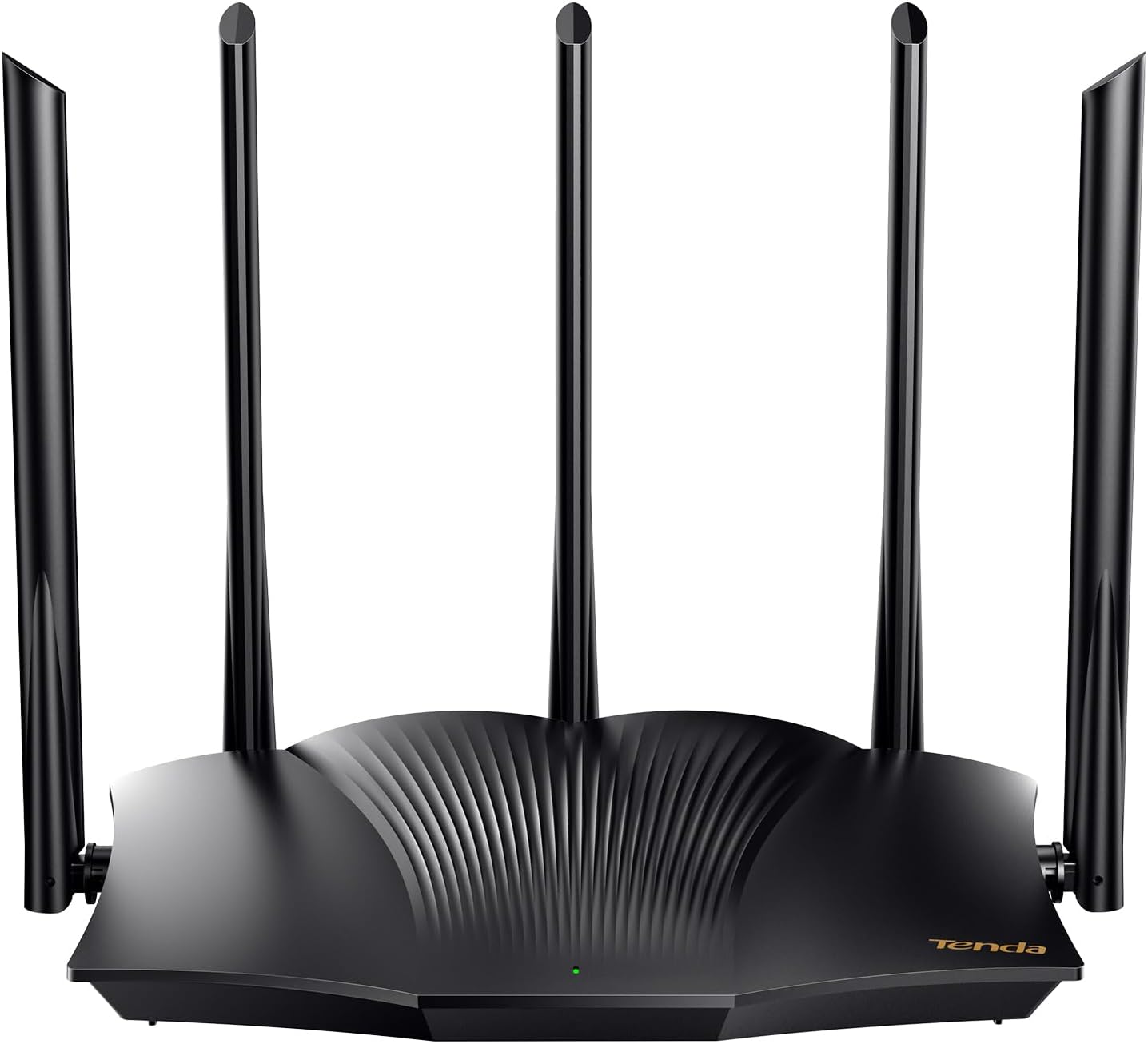
STYLISH DESIGN – 4 high-performance signal enhancement modules and 5 external high-gain 6dBi antennas to extend strong, reliable Wi-Fi throughout your home
Equipped with the Wi-Fi+ function, various RX12 Pro can be easily connected without setup, accounting for a high-speed Wi-Fi experience for larger units
When you encounter network freezes, calls drops and current outages, you can click the one-key optimization in the web management interface, and the router can quickly complete self-checks and repair network problems
Compatible with OpenVPN and WireGuard (via the latest Firmware update) along with PPTP/L2TP, providing flexible and secure remote connections for home or office networks
Designed with Wi-Fi 6 technologies like MU-MIMO and OFDMA, this wireless router manages many devices at once with lower latency and consistent performance, ideal for smart homes and gaming setups
 Overview
 Processor
 Display
 RAM
RAM
 Storage
 Video Card
 Connectivity
 Features
 Battery
 General
No account yet?
Create an Account
Reviews
Clear filtersThere are no reviews yet.