





-
 Pick up from the Woodmart Store
-
 Courier delivery
-
 DHL Courier delivery


 Pick up from the Woodmart Store
Courier delivery
DHL Courier delivery
Pick up from the Woodmart Store
Courier delivery
DHL Courier delivery
 Warranty 1 year
 Free 30-Day returns

Price: €209.99
(as of Mar 06, 2026 23:05:01 UTC – Details)

From the manufacturer
The video showcases the product in use.The video guides you through product setup.The video compares multiple products.The video shows the product being unpacked.


¿Se necesita iCUE para usar el producto?
iCUE es necesario para la configuración inicial y para desbloquear todas las funciones de Envision. Sin embargo, una vez completada la instalación inicial, podrás usar Envision sin tener iCUE activado.
¿Es Envision compatible con PC y Mac? ¿Necesito controladores adicionales?
Envision solo es compatible con PC (Windows 10 o posterior). No es compatible con Mac OS ni Linux. Para que tu equipo reconozca el mando y puedas usarlo, necesitarás el controlador iCUE.
¿Necesito pilas para SCUF Envision?
Envision Pro tiene una batería integrada, cuya duración aproximada es de 19 horas con un uso normal. Envision no necesita pilas; el mando se alimenta directamente del PC a través de un cable USB-C.
¿Puedo usar agarres para los sticks de SCUF Envision?
Sí, puedes usar los modelos de agarre Tactic, Catalyst y Pulse.
¿Qué tamaño tienen los sticks de SCUF Envision?
Ofrecemos sticks de distintos tamaños: cóncavos cortos (24 x 24 x 16 mm), convexos cortos (24 x 24 x 19 mm), cóncavos largos (24 x 24 x 20 mm) y convexos largos (24 x 24 x 22 mm).
Batteries : 1 Lithium Ion batteries required. (included)
Language : English
Product Dimensions : 16.5 x 10.75 x 6.35 cm; 285 g
Manufacturer : Corsair
ASIN : B0CM728YPY
Item model number : 601-178-03-102-NA
Country of origin : China
Guaranteed software updates until : unknown
Customer reviews: 3.9 3.9 out of 5 stars (1,034) var dpAcrHasRegisteredArcLinkClickAction; P.when(‘A’, ‘ready’).execute(function(A) { if (dpAcrHasRegisteredArcLinkClickAction !== true) { dpAcrHasRegisteredArcLinkClickAction = true; A.declarative( ‘acrLink-click-metrics’, ‘click’, { «allowLinkDefault»: true }, function (event) { if (window.ue) { ue.count(«acrLinkClickCount», (ue.count(«acrLinkClickCount») || 0) + 1); } } ); } }); P.when(‘A’, ‘cf’).execute(function(A) { A.declarative(‘acrStarsLink-click-metrics’, ‘click’, { «allowLinkDefault» : true }, function(event){ if(window.ue) { ue.count(«acrStarsLinkWithPopoverClickCount», (ue.count(«acrStarsLinkWithPopoverClickCount») || 0) + 1); } }); });
NOTE: iCUE is required in initial configuration, then you can choose to play with or without running iCUE; for optimal performance, use iCUE firmware update v.0.14.62 or later
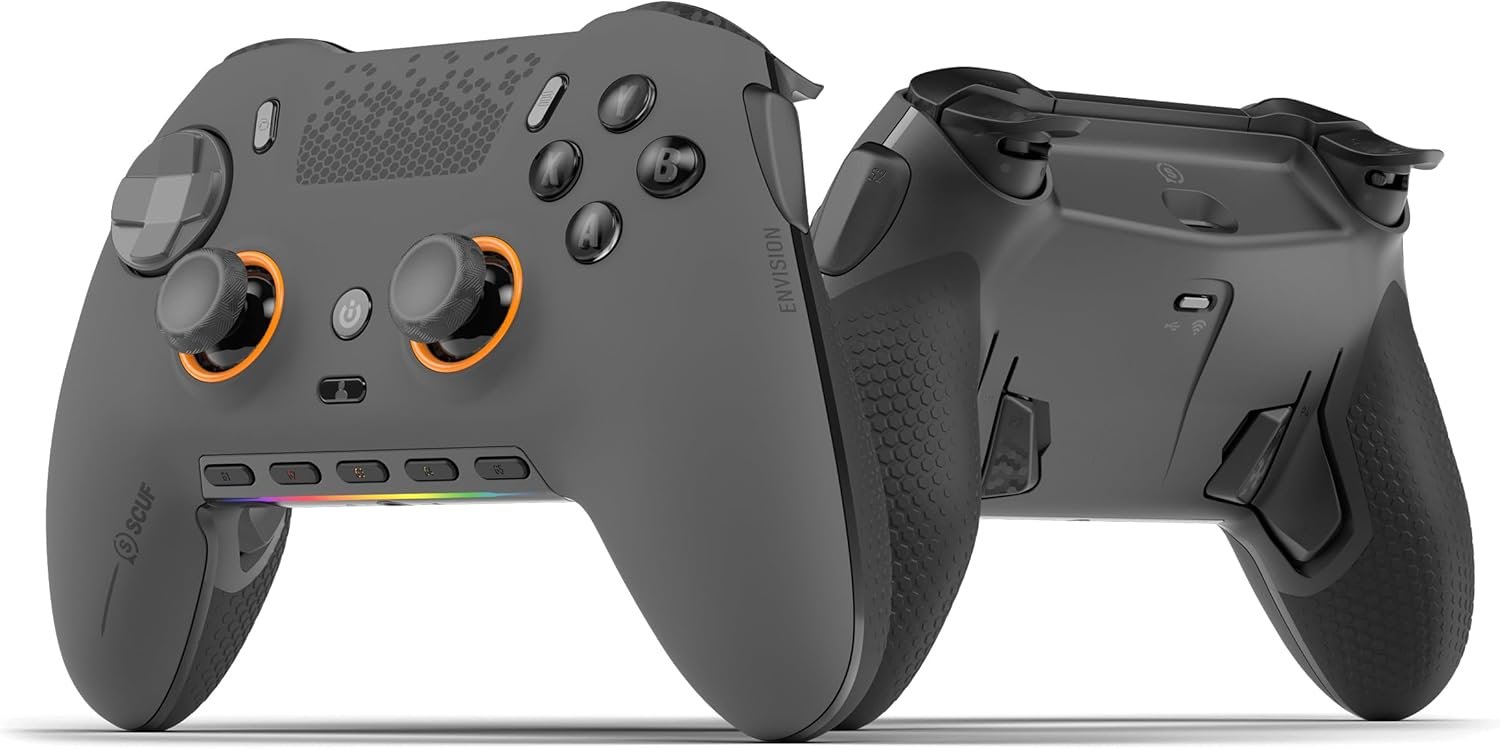
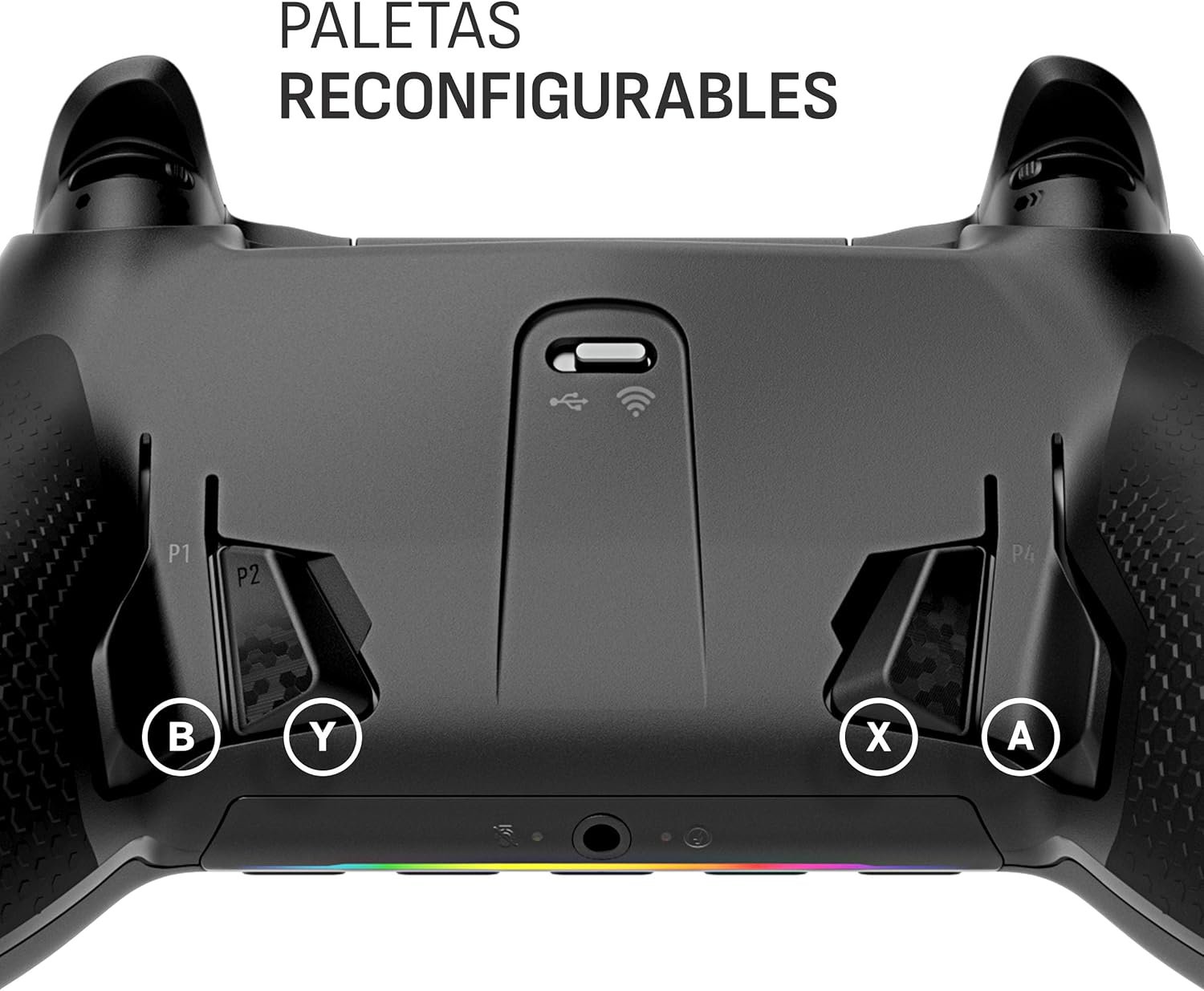
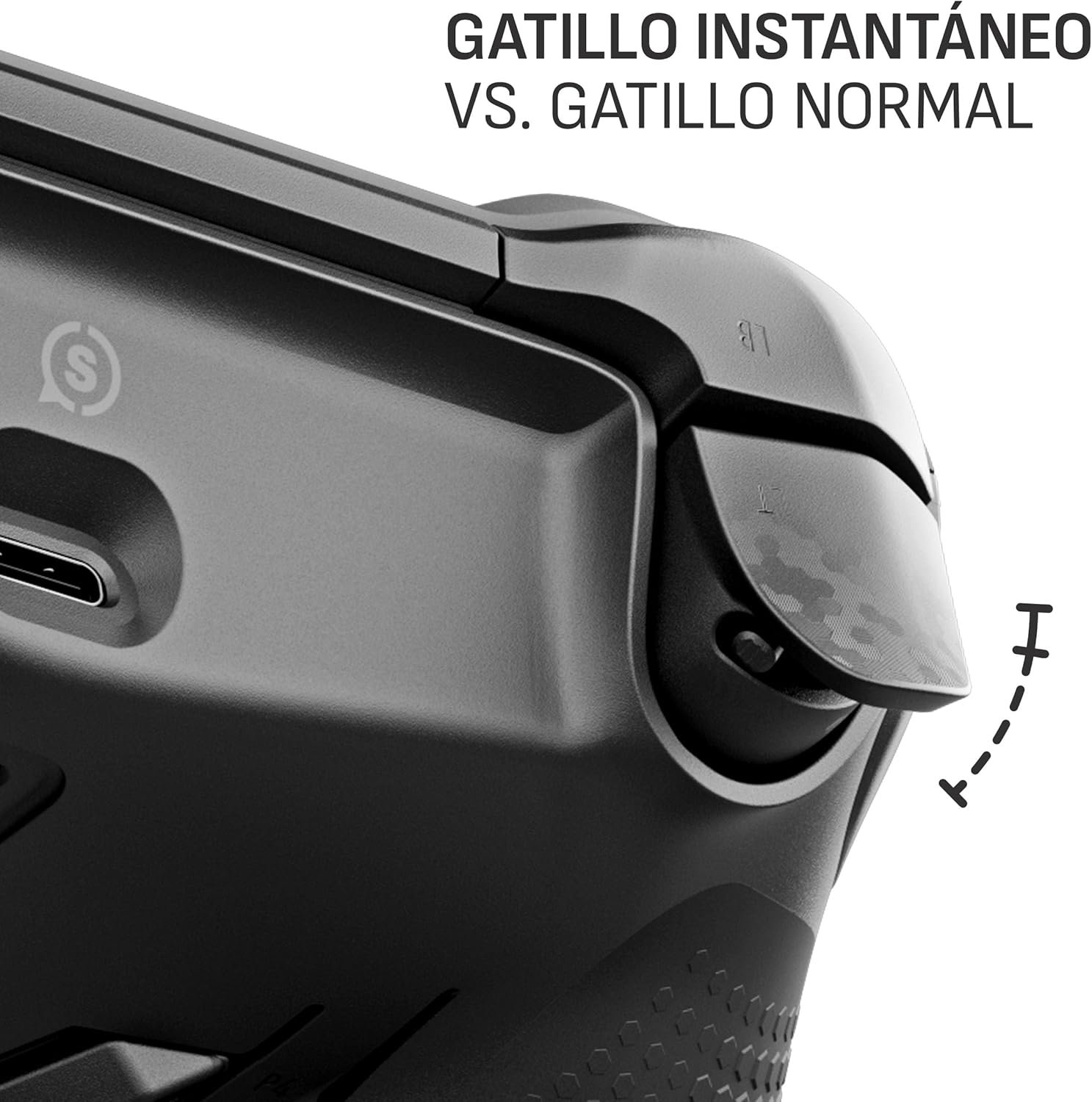
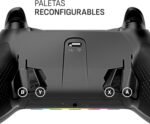
The four reconfigurable rear paddles allow you to keep your thumbs on the sticks to react faster
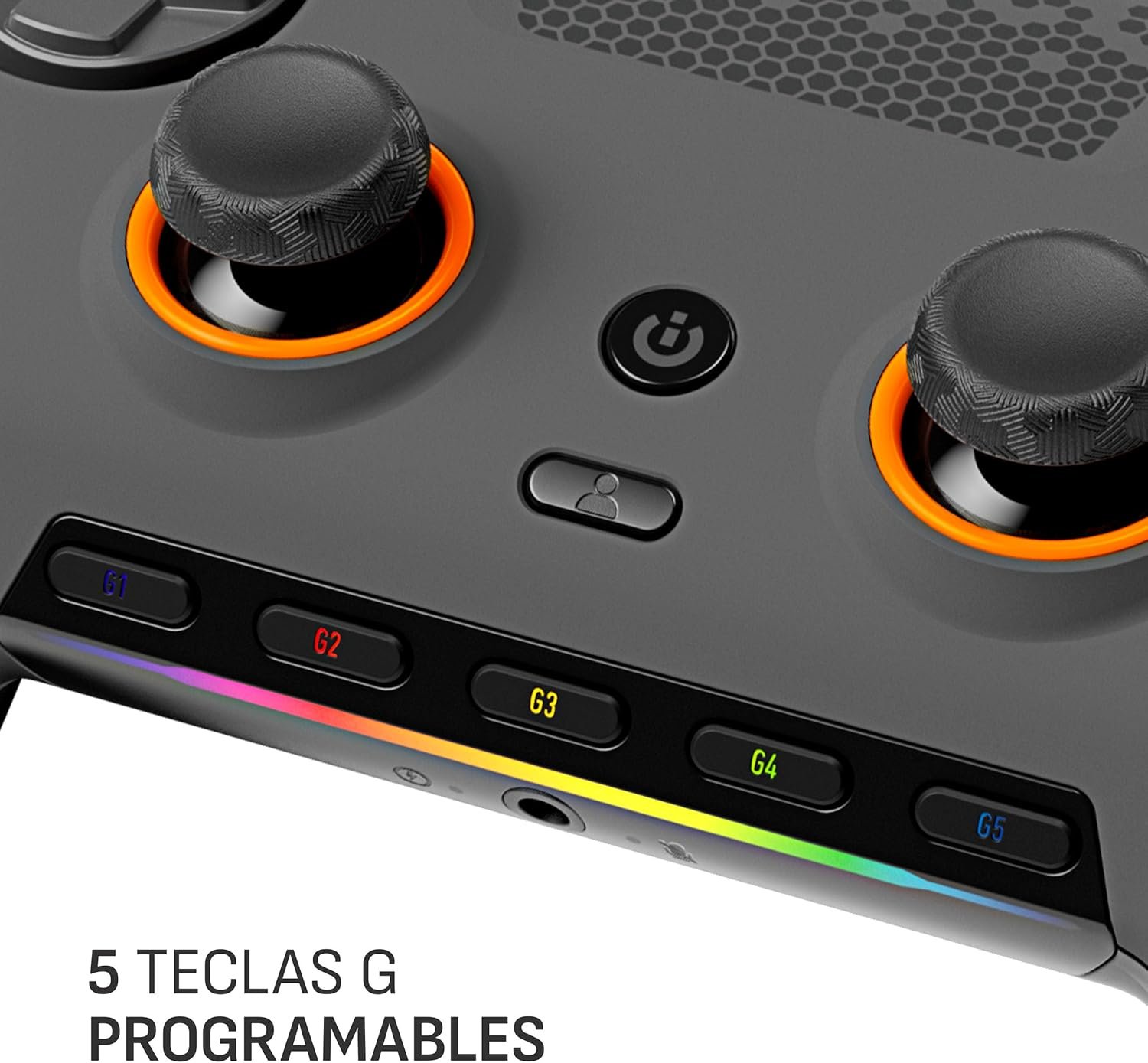
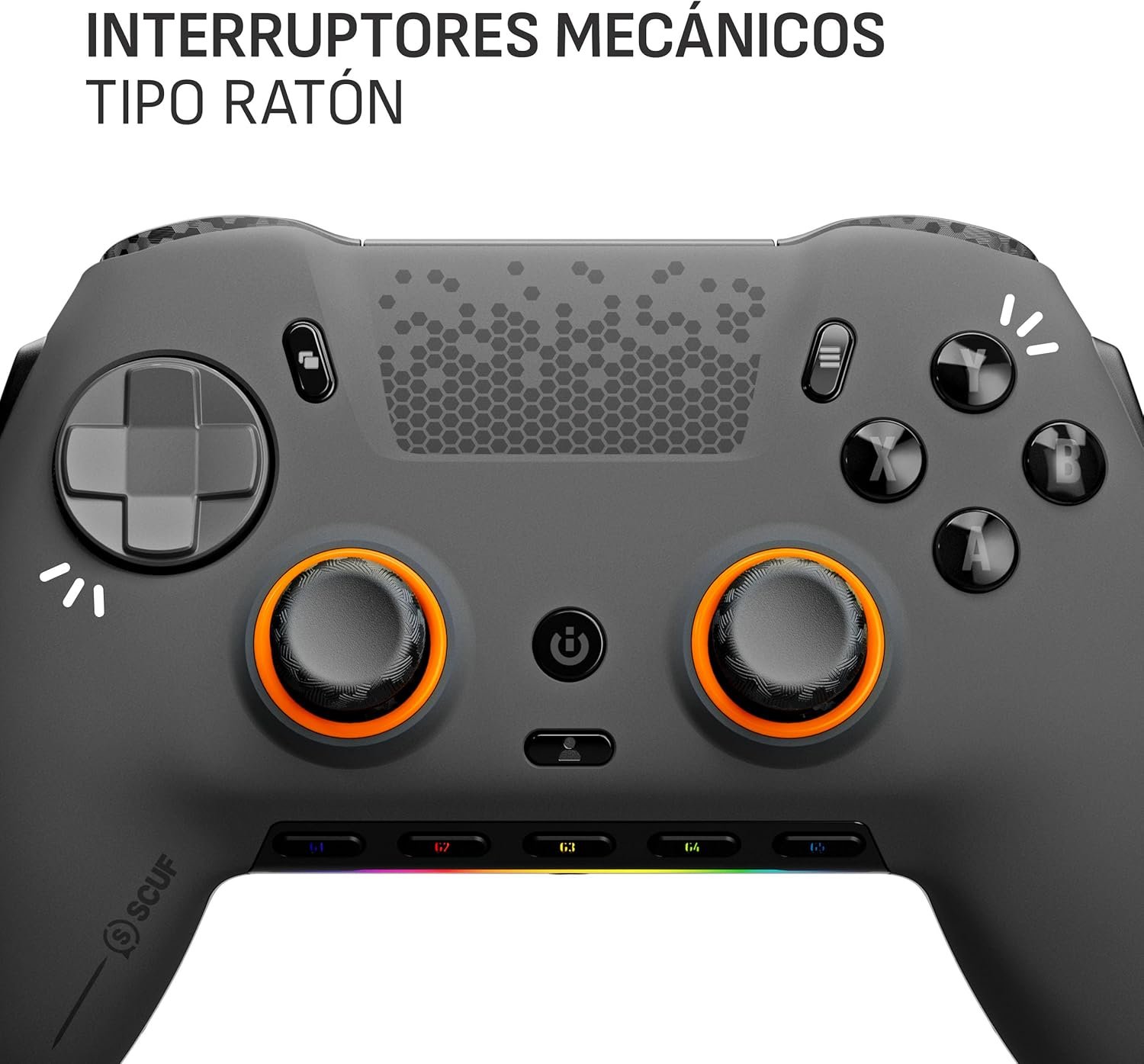
Five fully reconfigurable G-keys for Corsair macros and iCUE integration
Two side-mounted SAX buttons designed to offer more configuration options and fit into the natural position of your fingers
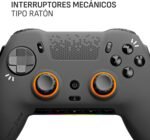
OMRON mechanical push button switches that function like a mouse click for instant activations
Corsair SlipStream fast wireless connectivity
 Overview
 Processor
 Display
 RAM
RAM
 Storage
 Video Card
 Connectivity
 Features
 Battery
 General
No account yet?
Create an Account
Reviews
Clear filtersThere are no reviews yet.