




-
 Pick up from the Woodmart Store
-
 Courier delivery
-
 DHL Courier delivery

 Pick up from the Woodmart Store
Courier delivery
DHL Courier delivery
Pick up from the Woodmart Store
Courier delivery
DHL Courier delivery
 Warranty 1 year
 Free 30-Day returns

Price: €69.99
(as of Feb 24, 2026 09:11:24 UTC – Details)

Product Description
The video showcases the product in use.The video guides you through product setup.The video compares multiple products.The video shows the product being unpacked. MT610 Thermal Printer Merchant video


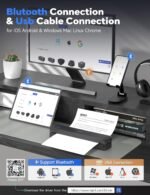
1 Compatibilidad 2 Conexión Bluetooth 3 Conexión USB


¿Cómo conecto mi teléfono móvil para imprimir?
Paso 1: Descarga la aplicación «HerePrint»
Paso 2: Enciende el MT610, activa el Bluetooth del teléfono y conéctalo a la aplicación.
¿Cómo imprimo desde la computadora?
Paso 1: Descargue e instale el controlador desde el sitio web.
Paso 2: Encienda la MT610 y conéctela a su computadora mediante el cable USB.
¿La impresora MT610 Pro viene con papel original?
Sí, el albarán de entrega contiene 10 hojas de papel A4
¿Qué puedes hacer con el MT610 Pro?
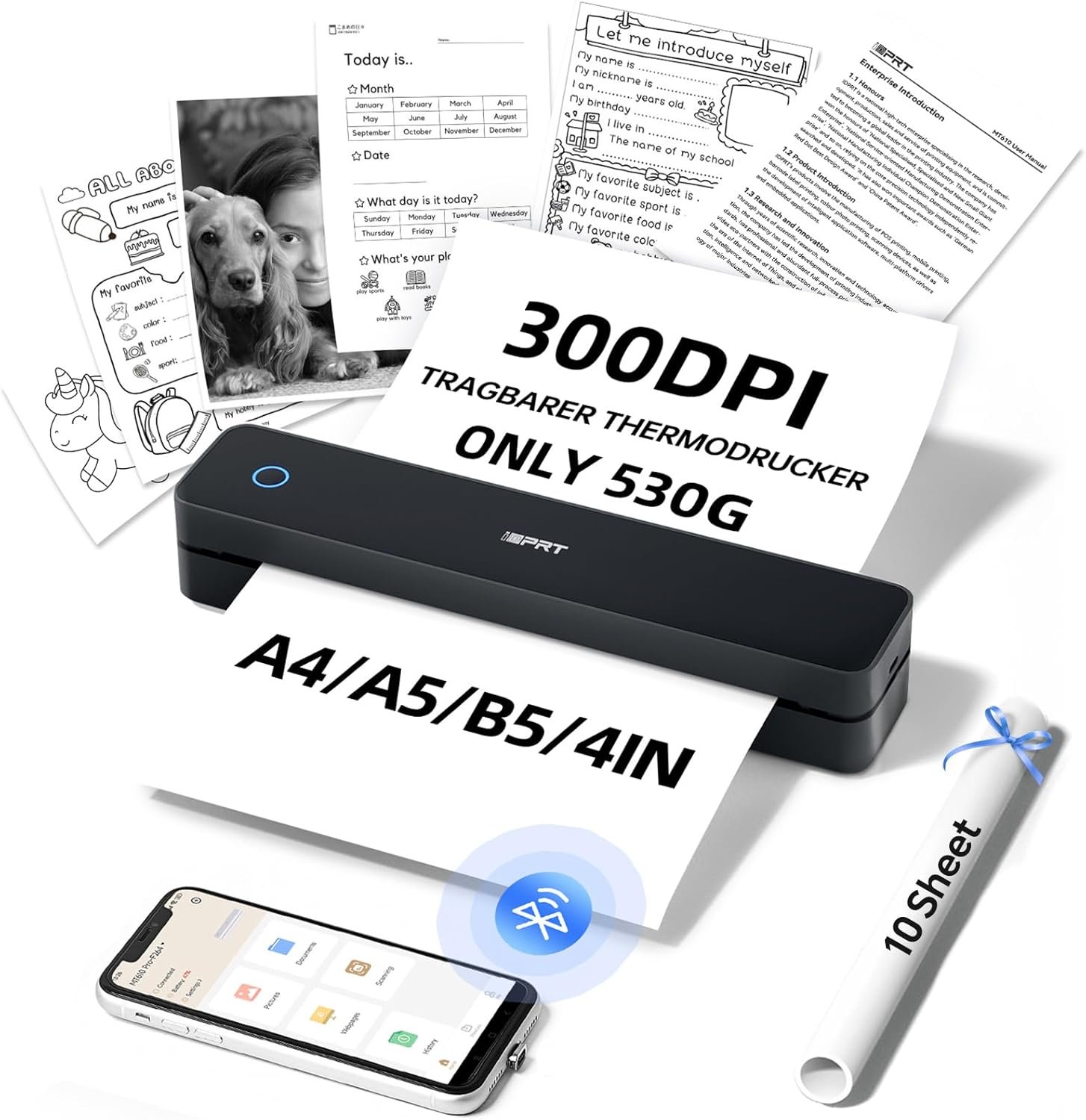
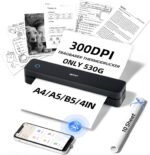
La impresora portátil MT610 tiene una resolución de 300 DPI y puede imprimir patrones, texto, formularios, etc., con alta calidad en papel térmico. Se puede usar en casa, la oficina, en viajes, en el coche y en la escuela.
Add To Basket
Add To Basket
Add To Basket
Add To Basket
Customer Reviews
4.3 out of 5 stars 296
4.3 out of 5 stars 296
4.6 out of 5 stars 61
4.6 out of 5 stars 61
Price
€69.99€69.99
€75.99€75.99
€30.09€30.09
€30.09€30.09
Aplicación de teléfono
Hereprint
Hereprint
Hereprint
Hereprint
Conexión Bluetooth
Andriod, iOS
Andriod, iOS
Andriod, iOS
Andriod, iOS
Conexión USB
Mac, Windows, Linux, Chrome OS
Mac, Windows, Linux, Chrome OS
Mac, Windows, Linux, Chrome OS
Mac, Windows, Linux, Chrome OS
Tecnología
Térmica/Sin tinta
Térmica/Sin tinta
Térmica/Sin tinta
Térmica/Sin tinta
Densidad de impresión
300 DPI
300 DPI
300 DPI
300 DPI
Batteries : 1 9V batteries required.
Language : English
Product Dimensions : 30 x 8 x 7 cm; 730 g
Manufacturer : iDPRT
ASIN : B0DR2FKH1K
Item model number : MT610 Pro
Country/Region of Origin : China
Guaranteed software updates until : unknown
Customer reviews: 4.3 4.3 out of 5 stars (296) var dpAcrHasRegisteredArcLinkClickAction; P.when(‘A’, ‘ready’).execute(function(A) { if (dpAcrHasRegisteredArcLinkClickAction !== true) { dpAcrHasRegisteredArcLinkClickAction = true; A.declarative( ‘acrLink-click-metrics’, ‘click’, { «allowLinkDefault»: true }, function (event) { if (window.ue) { ue.count(«acrLinkClickCount», (ue.count(«acrLinkClickCount») || 0) + 1); } } ); } }); P.when(‘A’, ‘cf’).execute(function(A) { A.declarative(‘acrStarsLink-click-metrics’, ‘click’, { «allowLinkDefault» : true }, function(event){ if(window.ue) { ue.count(«acrStarsLinkWithPopoverClickCount», (ue.count(«acrStarsLinkWithPopoverClickCount») || 0) + 1); } }); });
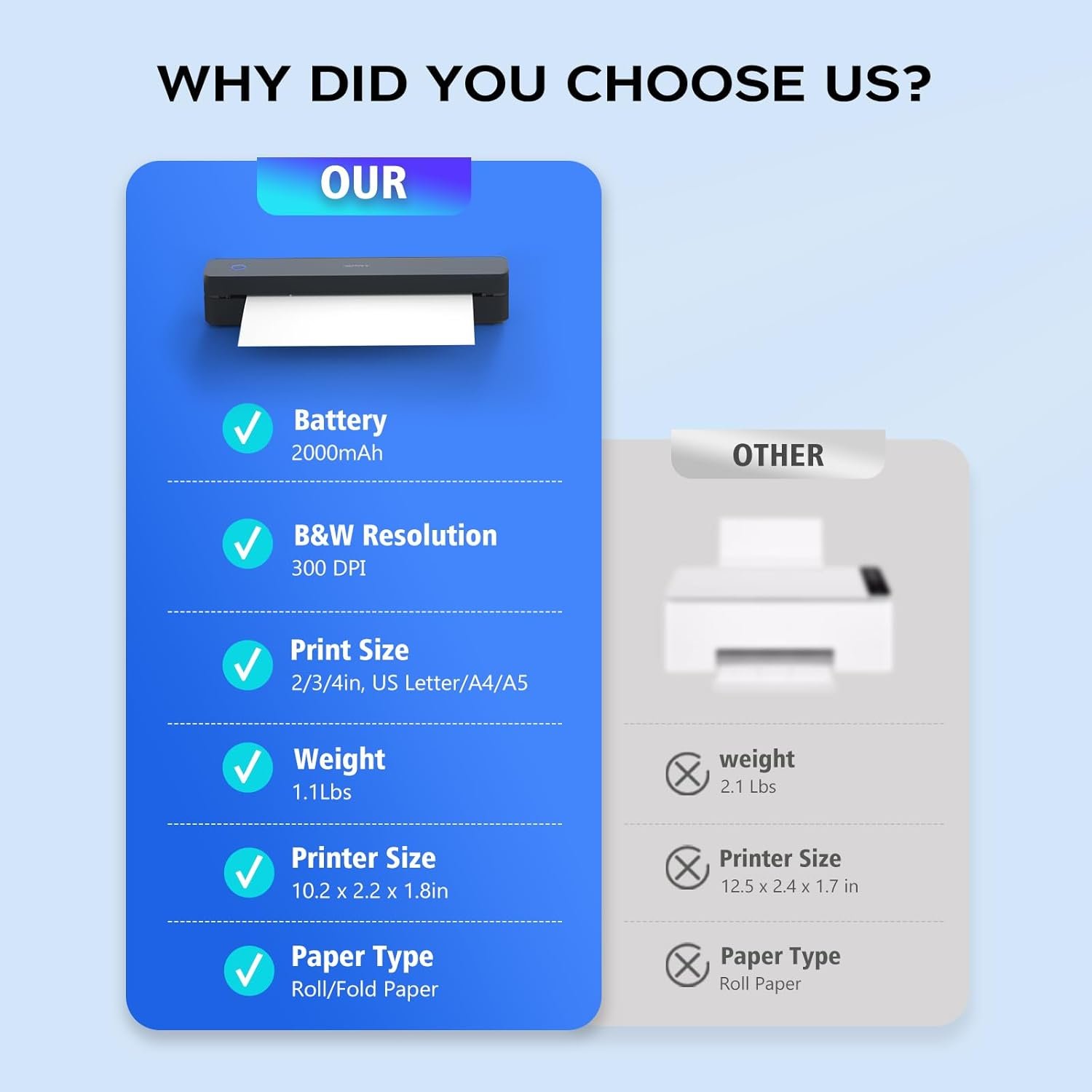
HIGH QUALITY PRINTING & DURABLE BATTERY – MT610pro 300 DPI travel portable printer is equipped with 2000mAh batteries and offers up to 4 hours of continuous printing and 360 sheets on a single charge. It can print contracts, receipts, photos, pictures, DIY projects, greeting cards, notes, to-do lists and more. (Note: Print on thermal paper only)
Ultra-portable design: it is a good helper for your study and office anywhere. At just 498 grams and a box size of 26 x 5.5 x 4.5 cm, this lightweight and compact printer is ideal for travel and travel and fits easily in backpacks or briefcases
VERSATILE COMPATIBILITY: Supports a wide range of devices, including laptops (Mac, Windows, Linux), Chrome OS, and mobile phones. The free «HerePrint» app offers extensive features for creative printing
START PHONE PRINTING: Step 1: Download the «HerePrint» App; Step 2: Turn on the MT610 and set up a Bluetooth connection in the app; Step 3: Click the «+» sign to complete the device connection and select the file type to start printing
PC Start Printing: Step 1: Download and install MT610 driver from iDPRT website. Step 2: Connect MT610 printer to your computer via USB cable. Step 3: Select your document, open it and select iDPRT MT610 Pro-xxx from the printer list
 Overview
 Processor
 Display
 RAM
RAM
 Storage
 Video Card
 Connectivity
 Features
 Battery
 General
No account yet?
Create an Account
Valoraciones
Clear filtersNo hay valoraciones aún.